

HARCO Bank is now on DigiLocker
Instantly download and securely store your authentic Account Statements and Fixed Deposit receipts directly into your Govt. approved DigiLocker account.
Why use DigiLocker?
Legally Valid
Documents downloaded via DigiLocker are considered at par with original physical documents under the IT Act, 2000.
Highly Secure
Protected by Govt. of India's robust security infrastructure. Your financial data remains encrypted and safe.
24/7 Accessibility
No need to visit the branch. Fetch your account statements anytime, anywhere for visa, loan, or tax purposes.
Visual Guide: How to Download Your Statement
Accessible Voice Assistant
Select your language, then tap the microphone to ask a question, or tap "Listen" on any step below.
Tap the mic and say: "Step 1" or "Read all steps"
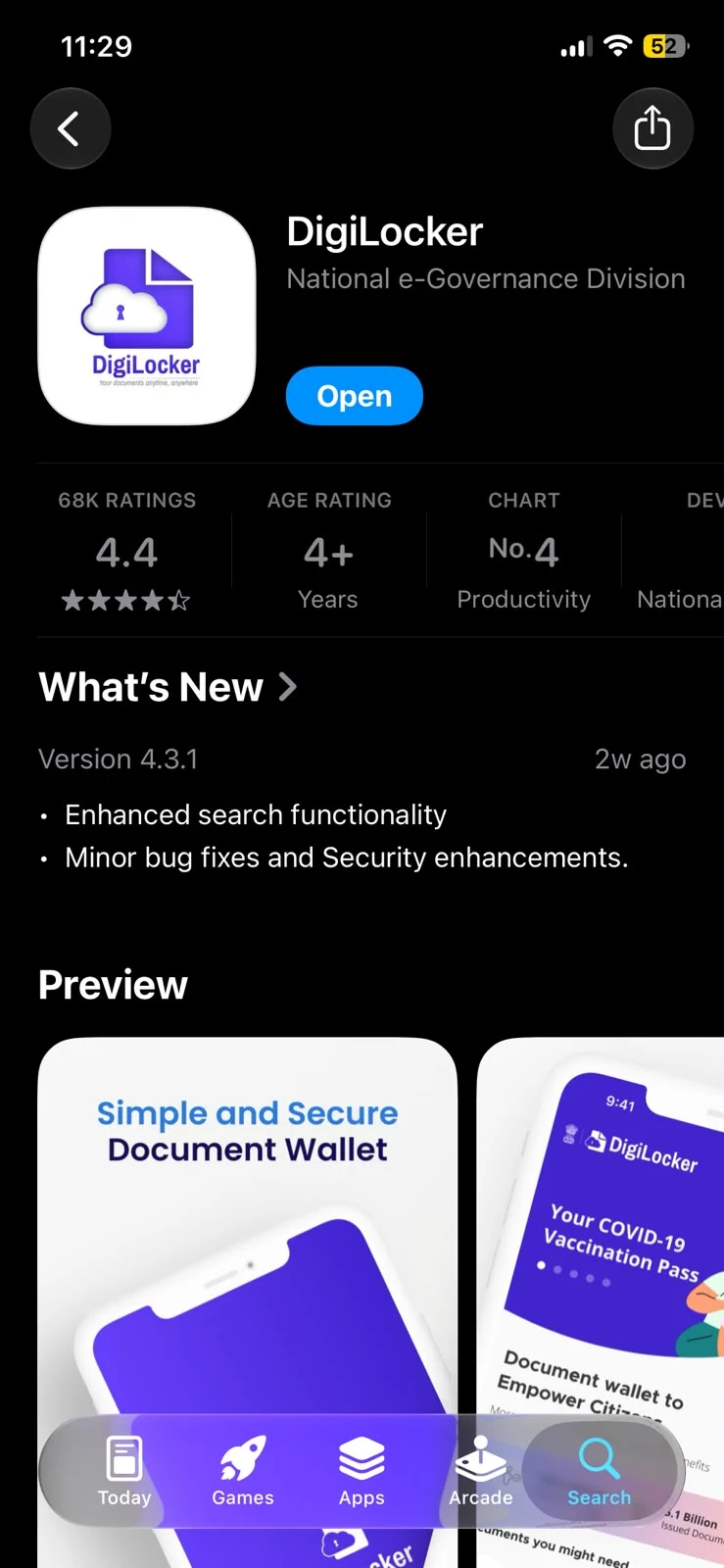
Download App
Install DigiLocker from Google Play Store (Android) or App Store (iPhone).
गूगल प्ले स्टोर या ऐप स्टोर से डिजीलॉकर डाउनलोड करें।
Open DigiLocker
Launch the DigiLocker application on your mobile device.
अपने मोबाइल पर डिजीलॉकर ऐप खोलें।
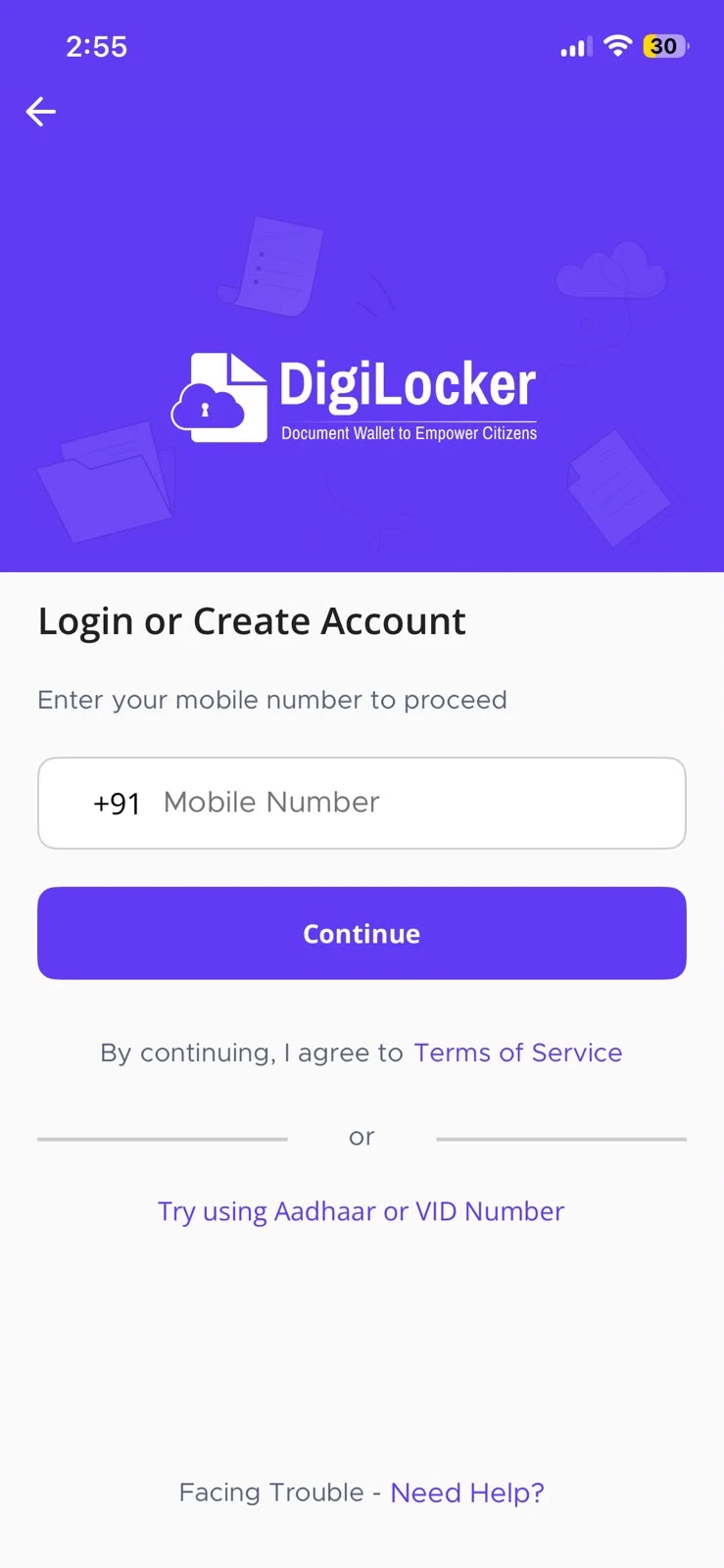
Login
Sign in using your registered Mobile Number or Aadhaar.
अपने मोबाइल नंबर या आधार का उपयोग करके लॉग इन करें।
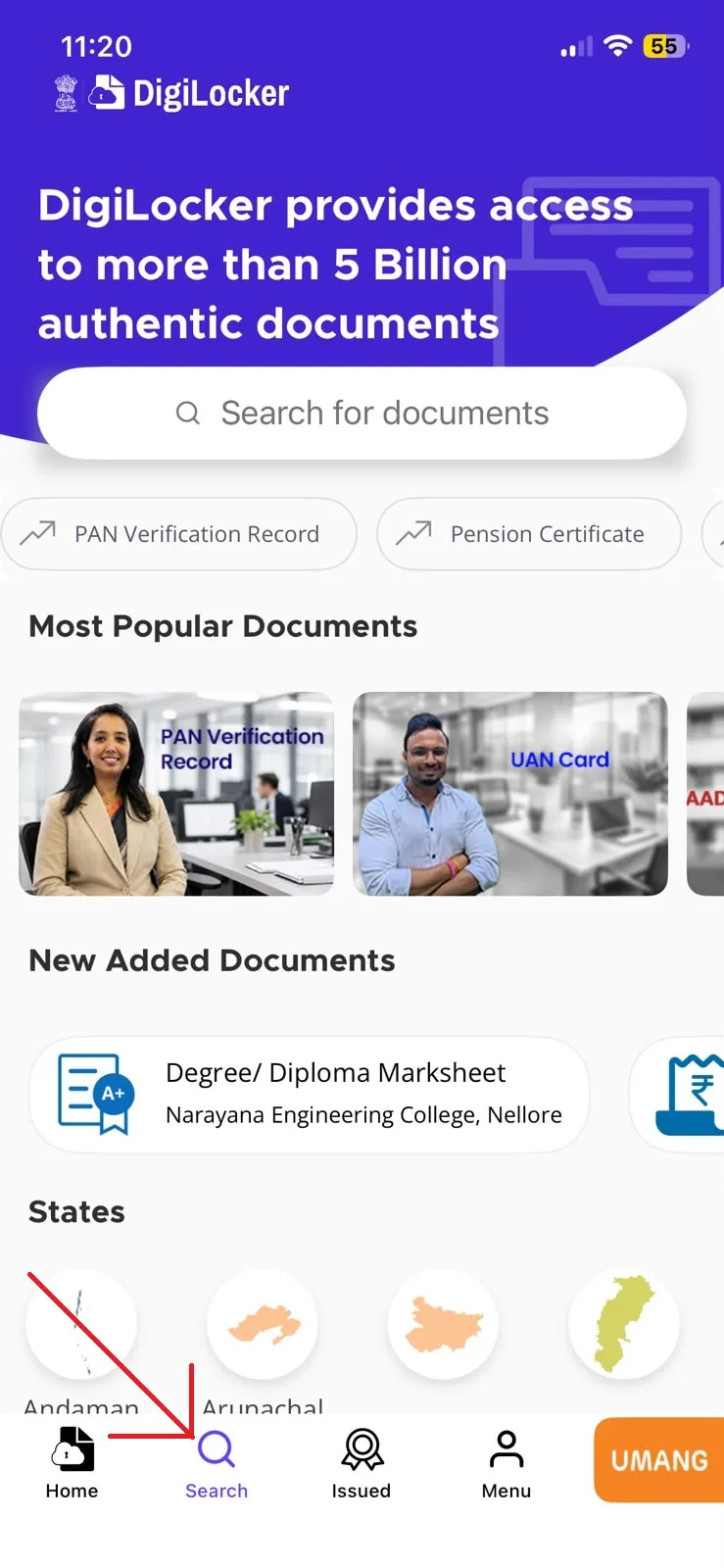
Search Tab
Tap on the "Search" icon located at the bottom navigation bar.
नीचे नेविगेशन बार से 'सर्च' आइकन पर टैप करें।
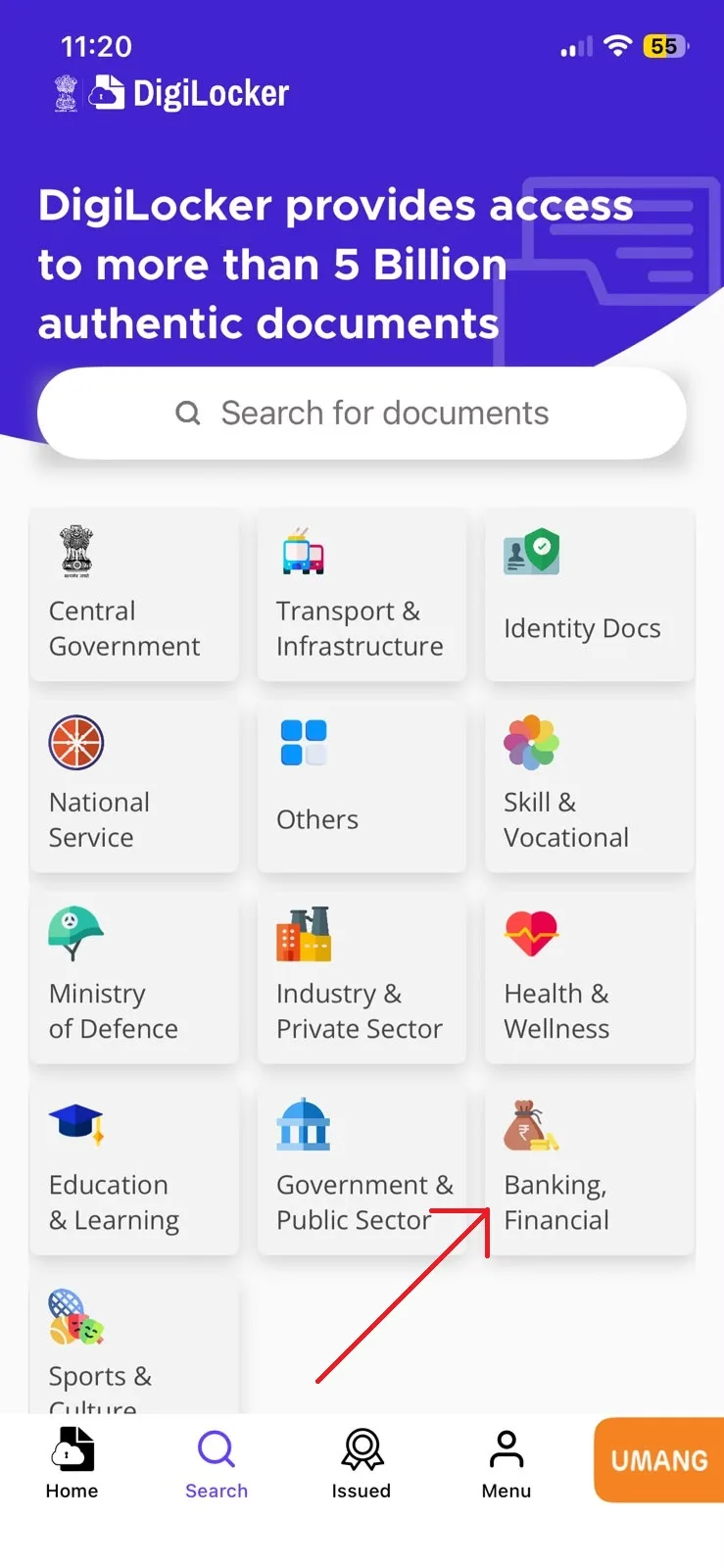
Select Category
Under Categories, select the "Banking and Financial" option.
श्रेणियों में से 'बैंकिंग और वित्तीय' विकल्प चुनें।
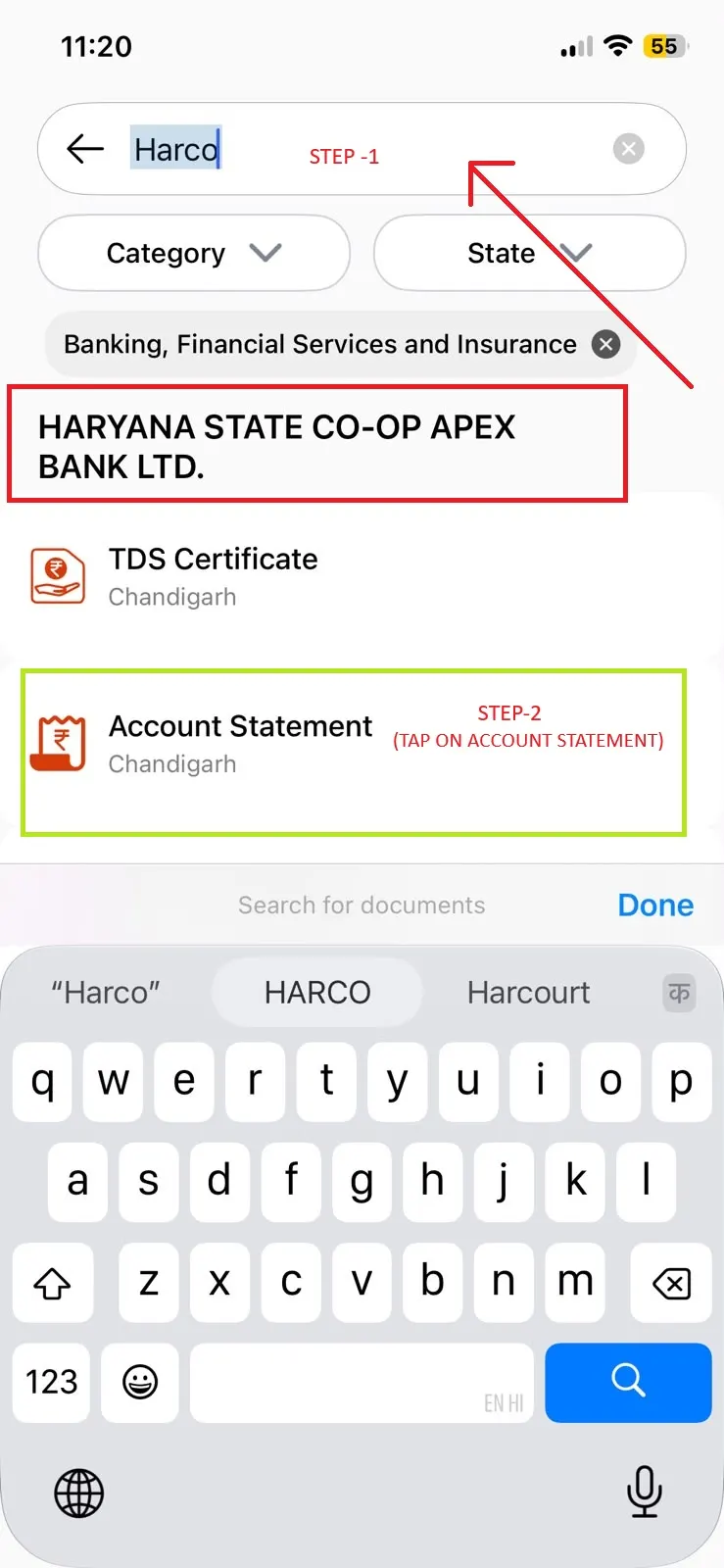
Search HARCO
Type "HARCO" to see our services (TDS, Account Statement, Interest Cert).
सर्च बॉक्स में 'HARCO' टाइप करें और सेवाएं देखें।
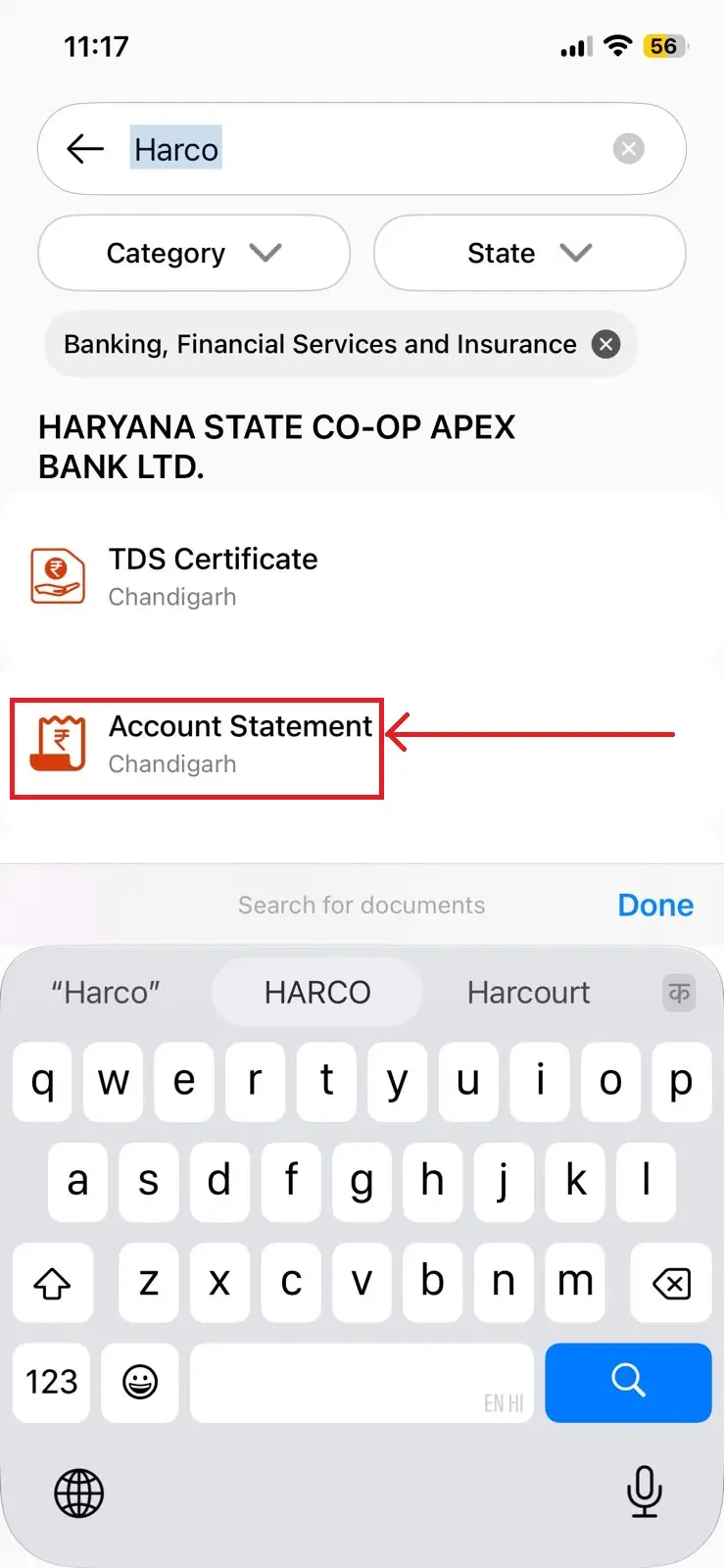
Choose Service
Tap on the "Account Statement" option from the list.
सूची में से 'अकाउंट स्टेटमेंट' विकल्प पर टैप करें।
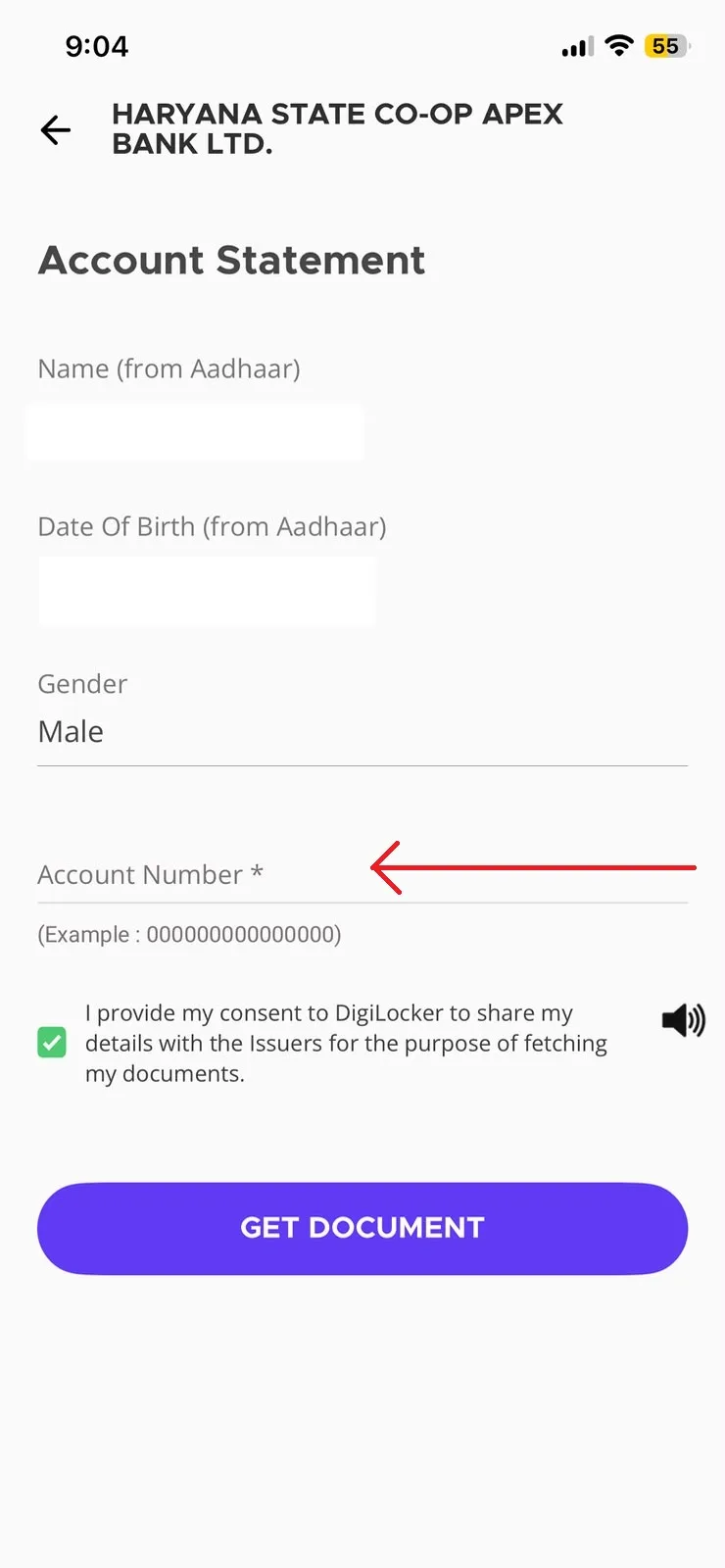
Enter Details
Enter your valid 15-digit HARCO Bank Account Number.
अपना 15 अंकों का हरको बैंक खाता नंबर दर्ज करें।
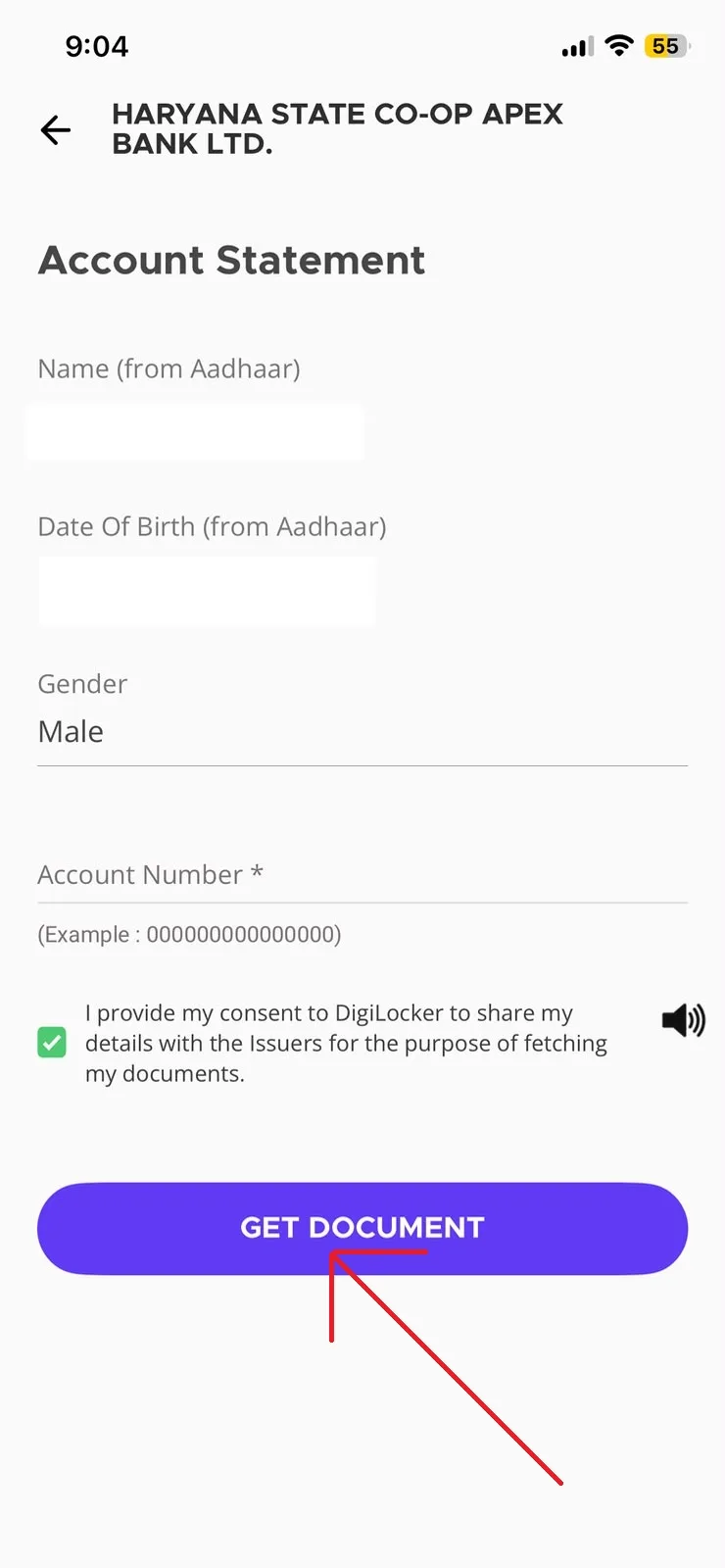
Submit Request
Press the "Get Document" button to fetch your statement.
'गेट डॉक्यूमेंट' (Get Document) बटन पर क्लिक करें।
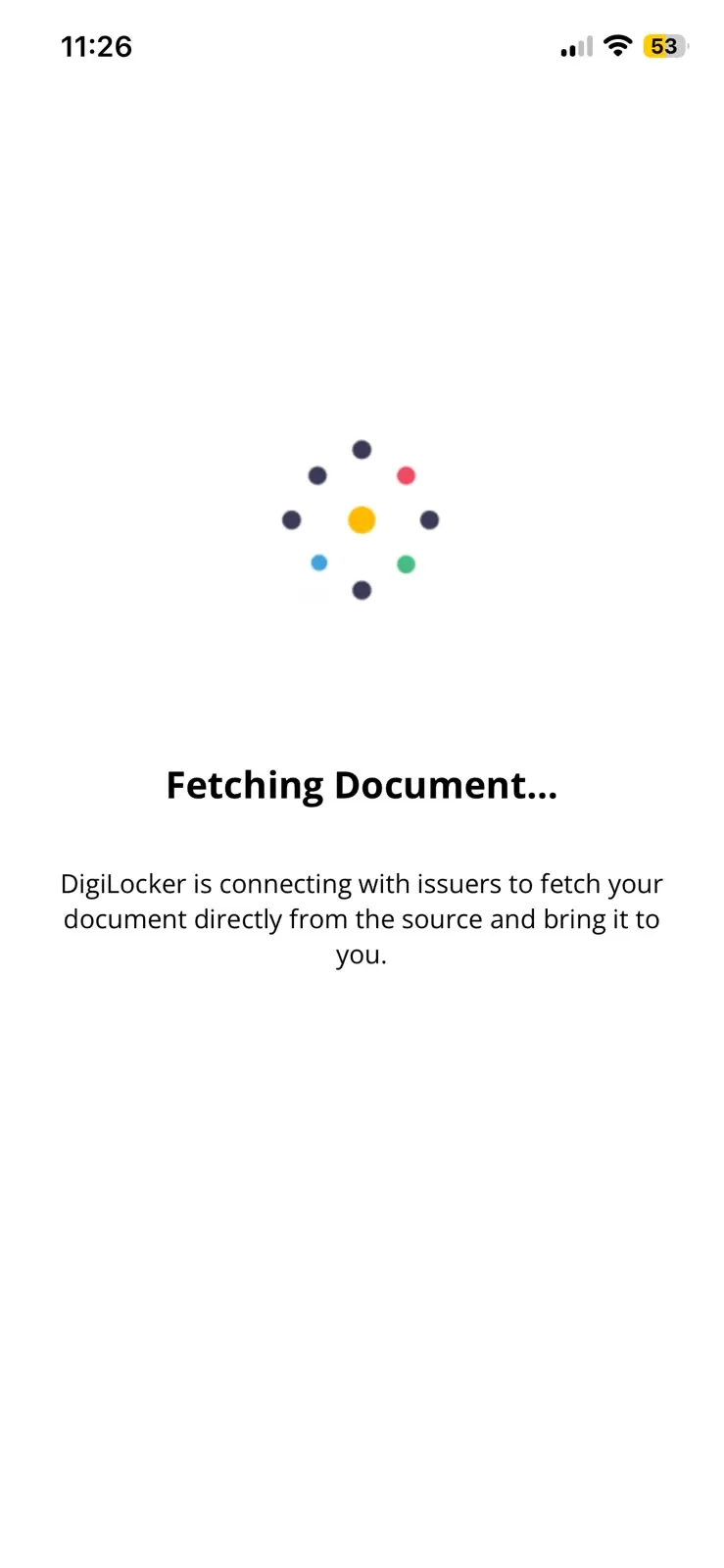
Wait for Process
Please wait a few seconds while the app fetches your statement.
ऐप द्वारा स्टेटमेंट प्राप्त करने तक कृपया कुछ सेकंड प्रतीक्षा करें।
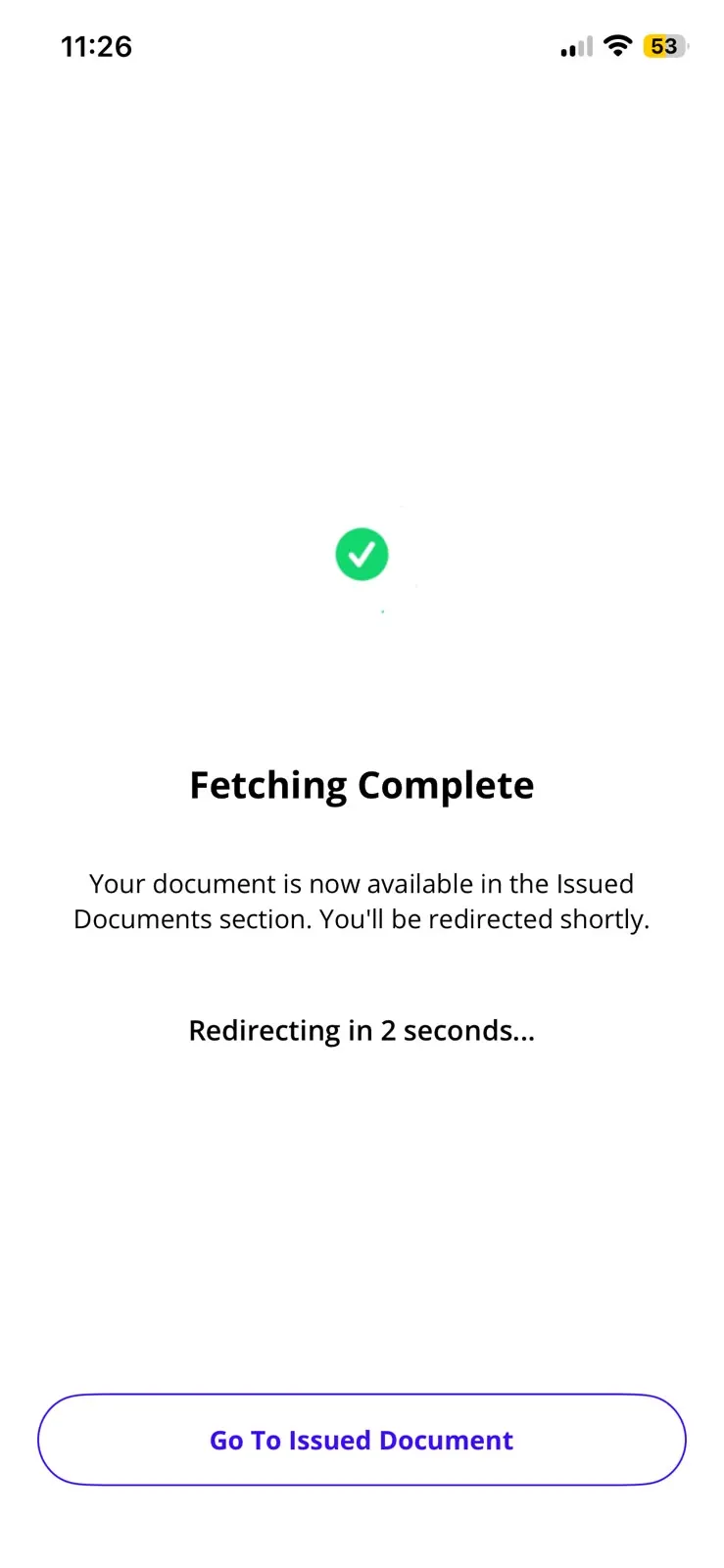
Success
The document will be successfully added to your "Issued Documents".
दस्तावेज़ सफलतापूर्वक आपके 'इश्यूड डॉक्यूमेंट्स' में जोड़ दिया गया है।
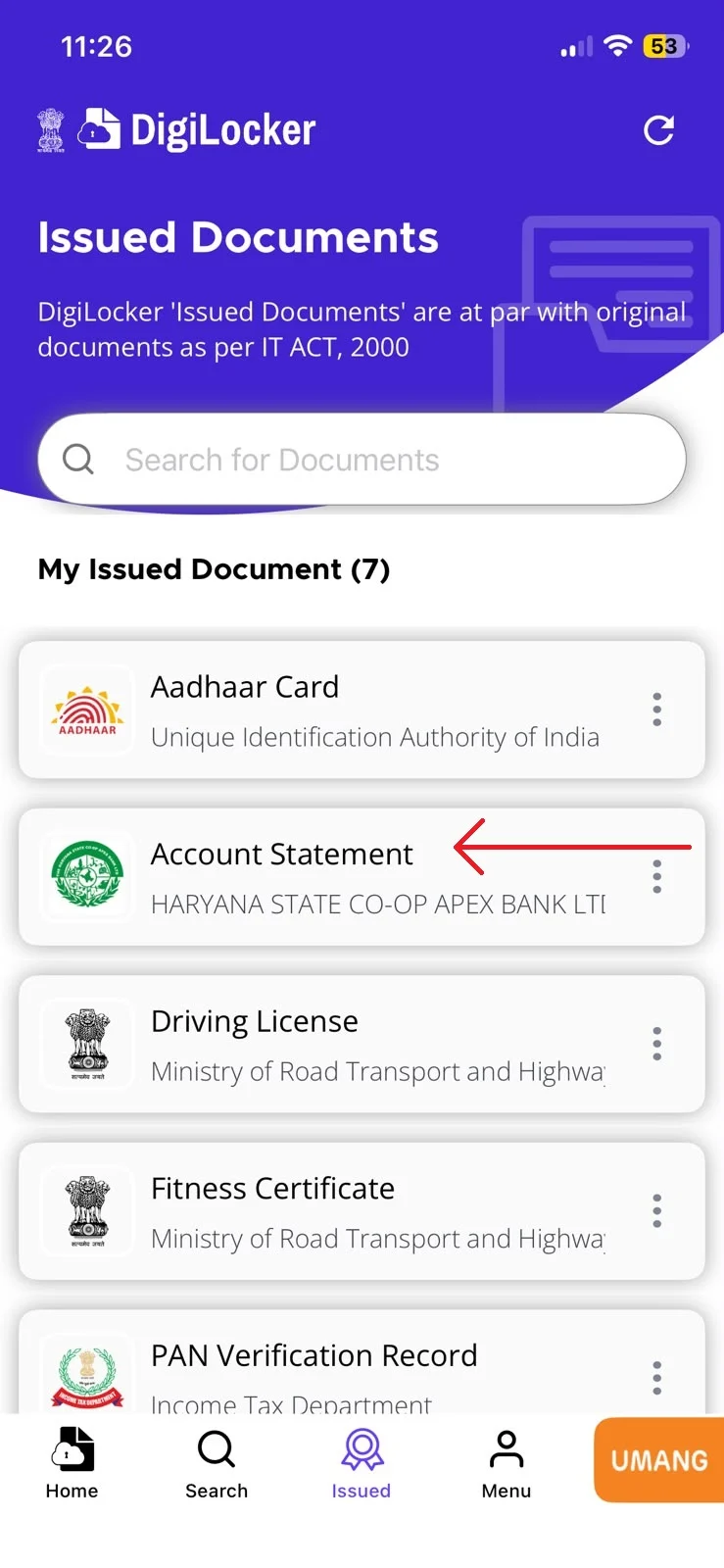
View & Share
Now you can view, download, or share your digital Account Statement.
अब आप अपना डिजिटल अकाउंट स्टेटमेंट देख, डाउनलोड या शेयर कर सकते हैं।
Note: To use this service, your Mobile Number must be updated and linked to your HARCO Bank Account. Contact your branch to update KYC details.
Go Paperless. Go Digital.
Join thousands of customers who have simplified their banking experience using HARCO Bank's digital services.